PwC Junction

Reimagining how PwC delivers deal intelligence — from static reports to a live, collaborative platform.

Services:

Product Design

Year:

2022-2024

Link:

pwc.com

Project Summary

PROJECT OVERVIEW
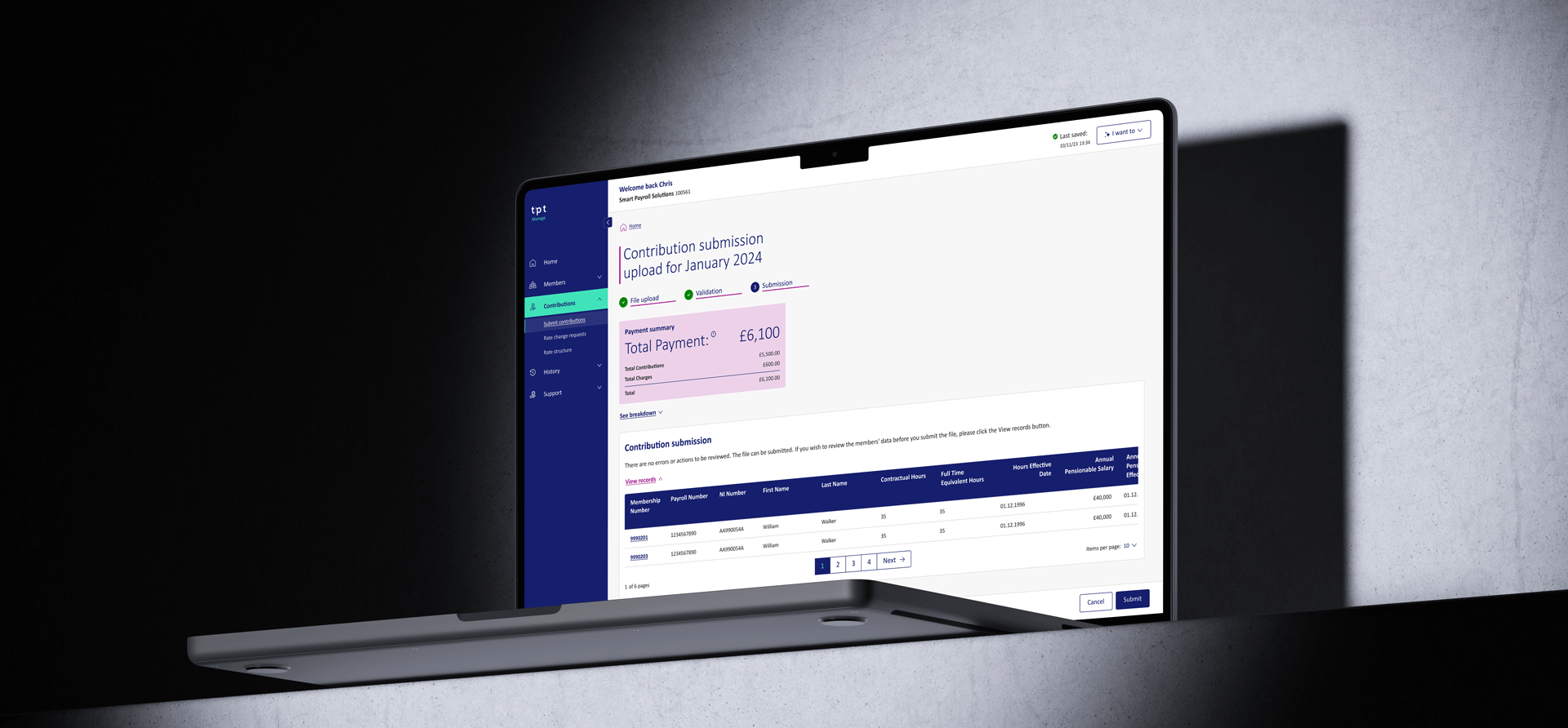
Junction is PwC's proprietary cloud-based deals platform — a single digital workspace where PwC's Deals team and clients collaborate in real time throughout a deal's lifecycle.

68%

Percentage of deals supported by Junction were successfully closed

27

Junction is now live and adopted in 27 countries across PwC's global network

>1,000

Number of projects initiated and completed on Junction
BACKGROUND
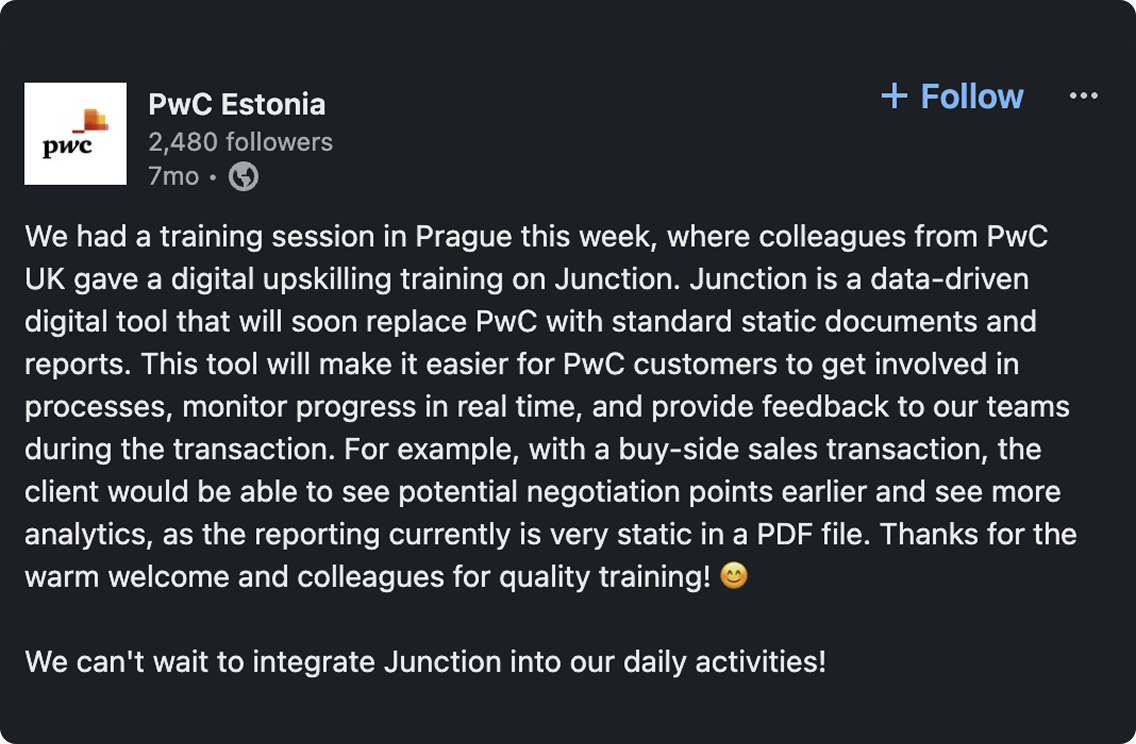
Traditional deal advisory was fragmented. Clients received insights through email chains, lengthy static reports and disconnected tools, leaving them as passive recipients rather than active participants. At deal speed, this created costly delays and a lack of visibility at the moments that mattered most.
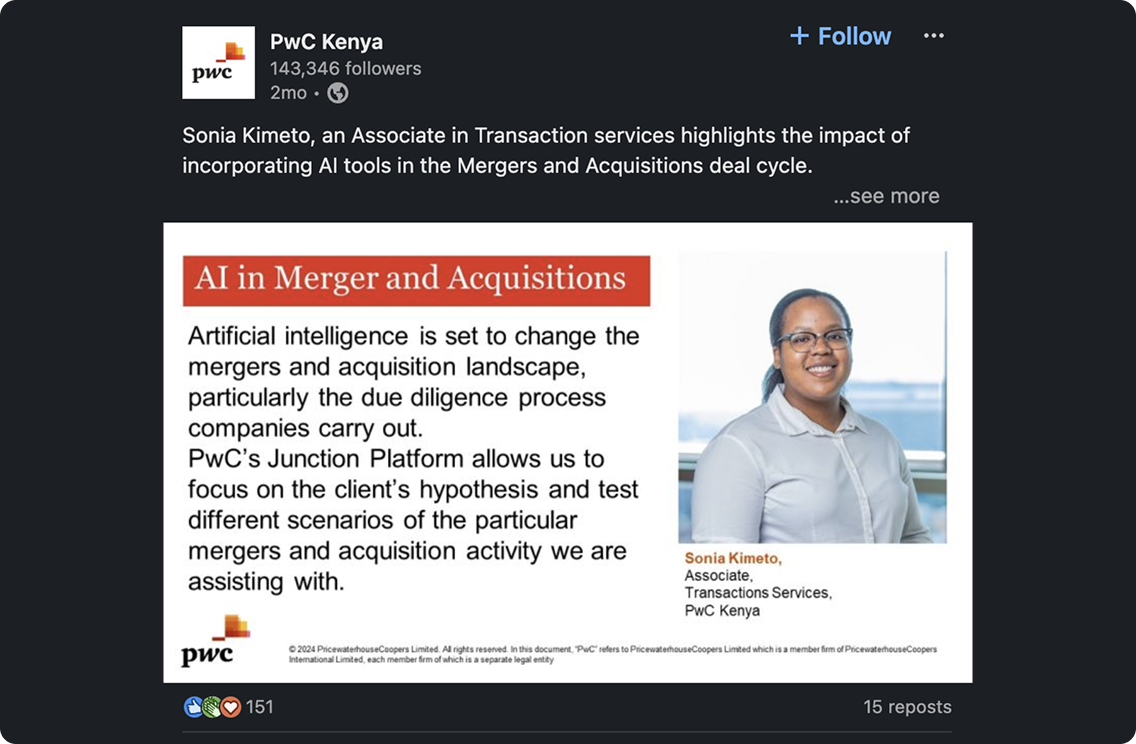
What Junction does differently: It brings all analysis, data visualisations, scenario modelling and communication into one place — accessible from any device, at any time. Clients can interact directly with the data, test different deal scenarios and communicate with PwC specialists without ever leaving the platform.
PERSONAL CONTRIBUTION
Joined PwC as a Senior Product Designer embedded within a cross-functional team, contributing to the design and delivery of key features across the Junction platform. My work spanned the full design process — from research and ideation through to prototyping and handoff — playing an integral role in shaping a product that has become a significant commercial success for the firm.

UX Research

USER RESEARCH FINDINGS
USER FEEDBACK

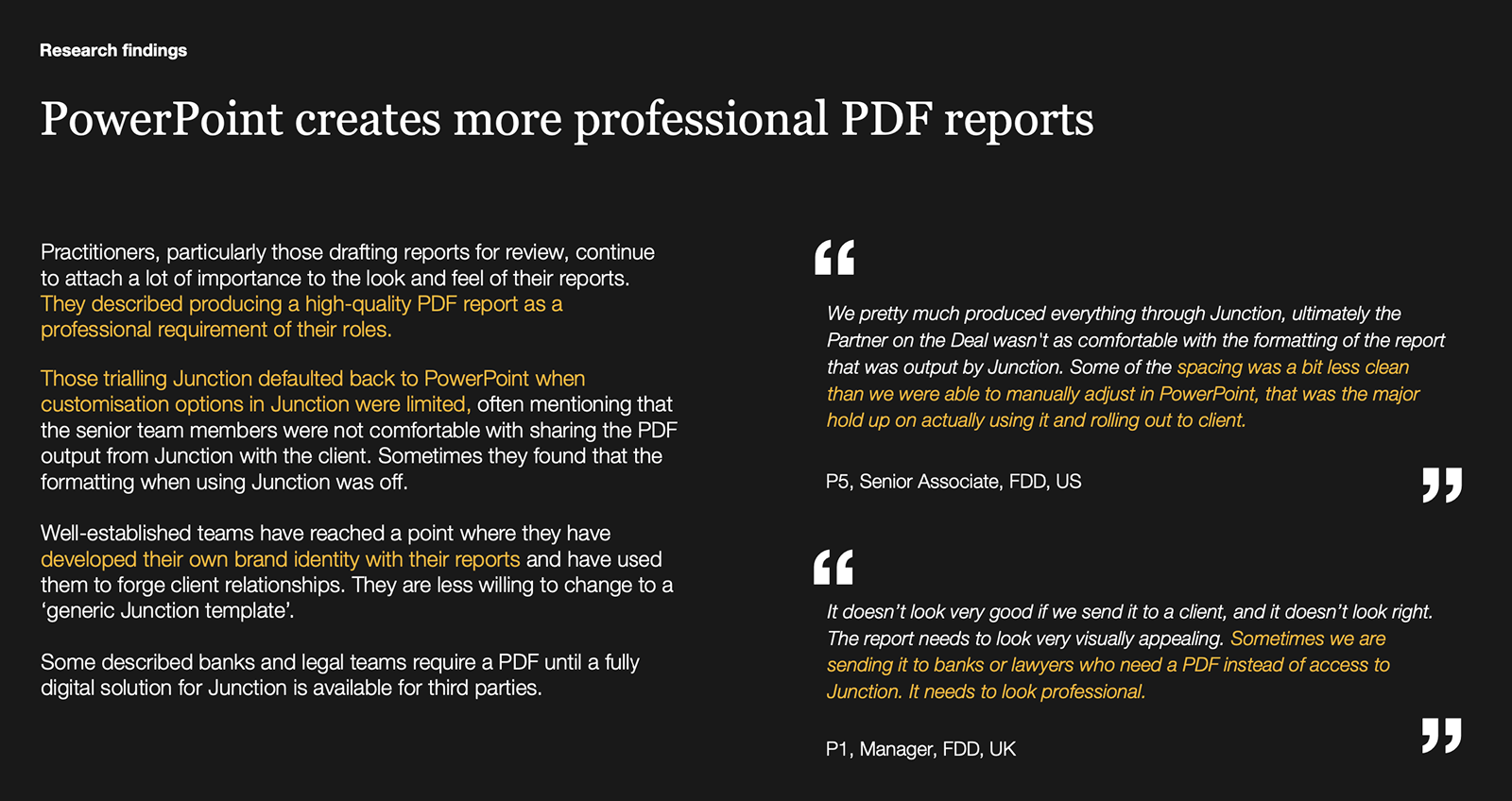
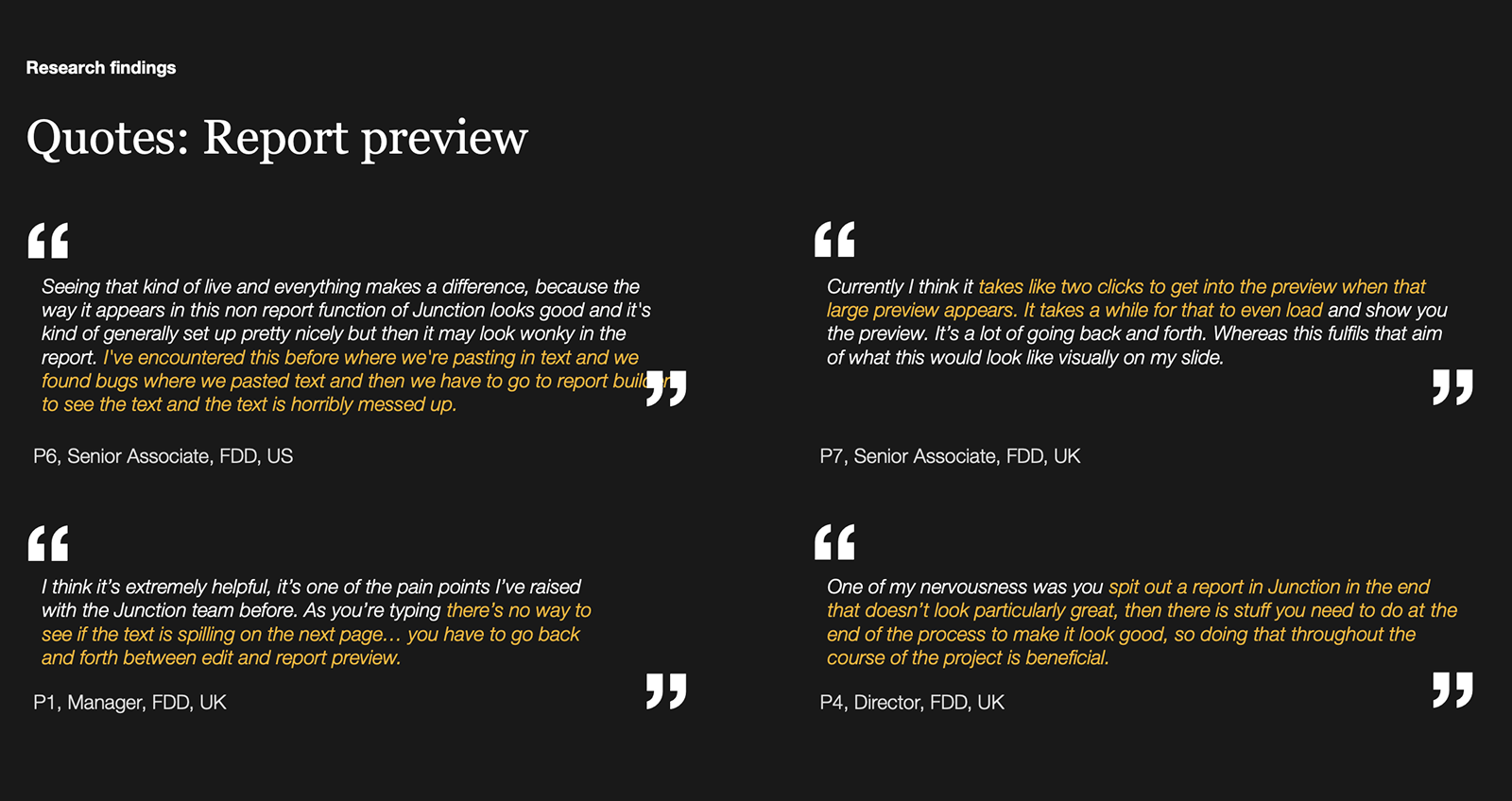
" Powerpoint creates more professional reports than Junction..."

Matt P.
Senior Associate, PwC FDD, US

High level user needs

Semantic Search

As an Analyst I need a way to search the entirety of the Junction platform in a helpful way, using Natural Language (AskJunction AI), and ask questions about the data in my current and past projects

Cross-deals Information

As an Analyst I need a way to ask Junction about information across multiple engagements for the same client, and need information on related Deals (information from DealsIQ)

AI Platform

As an Analyst I need a single platform to access several different AI-powered tools within working in Junction. These tools involve creating and curating information on the Junction site

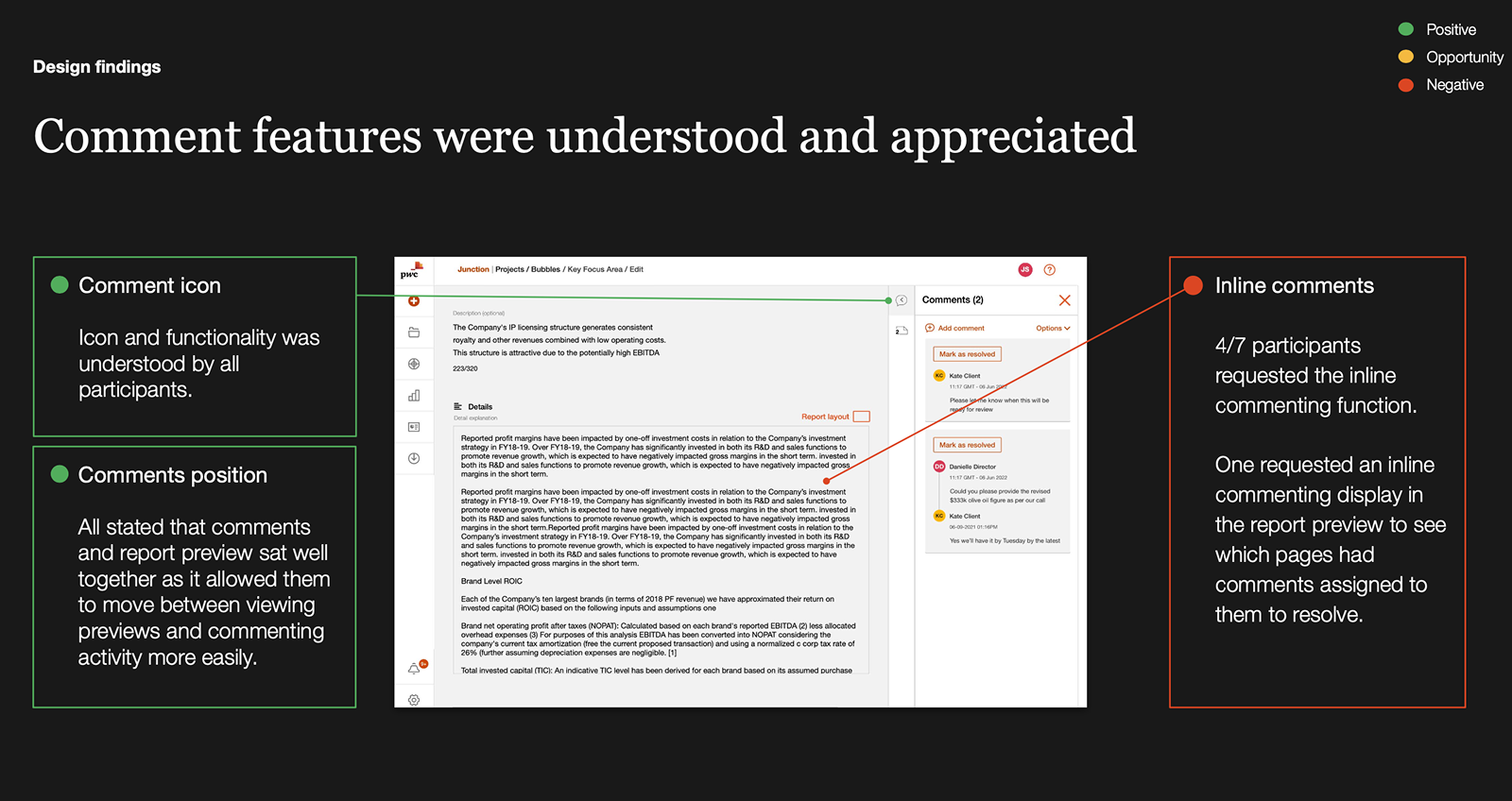
Inline Commenting

As PwC Junction user, I want to be able to select a piece of information and add a comment to it

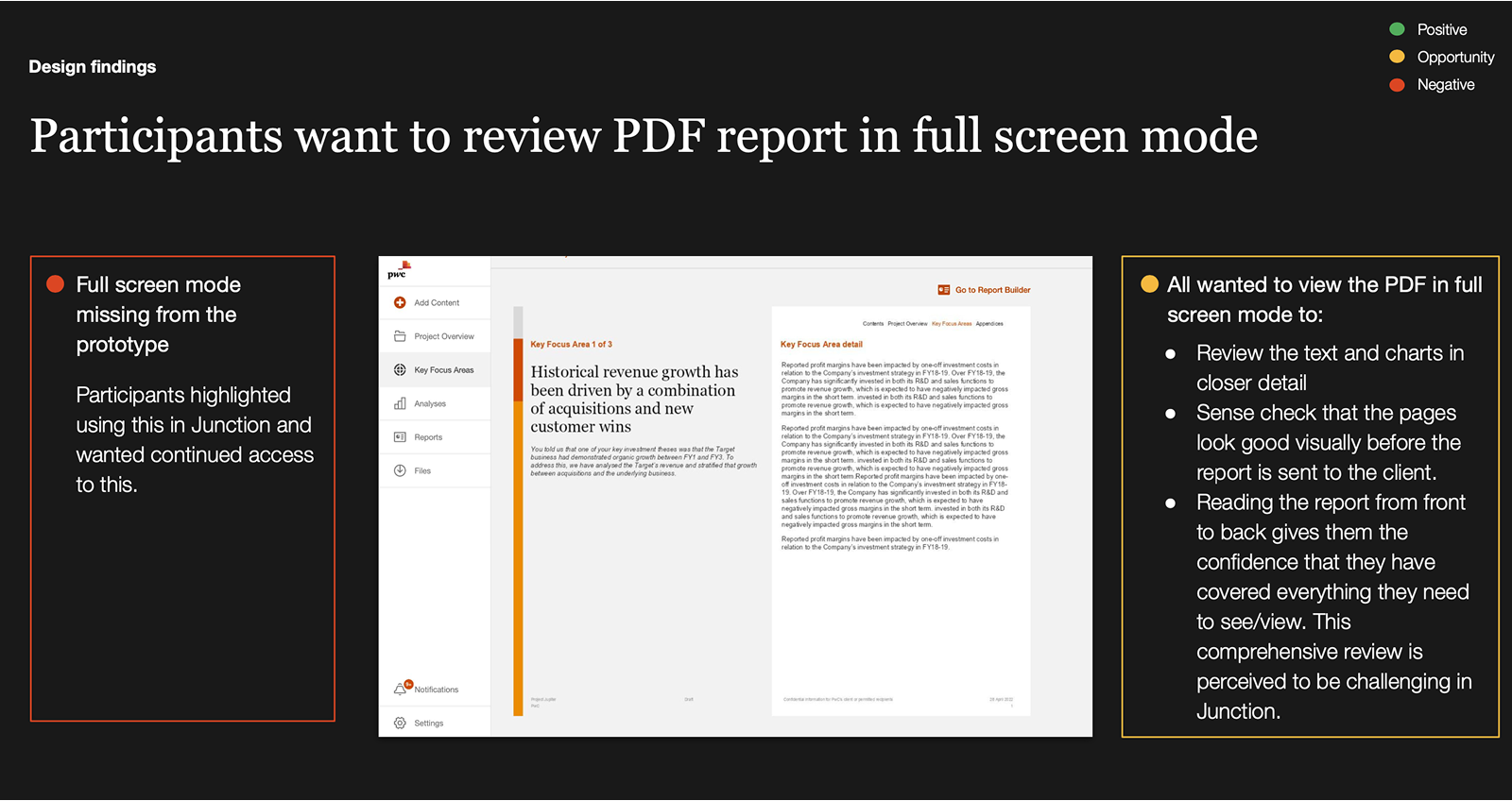
Edit / View Page & Layout Widgets

As a PwC user of Junction, I need to be able to view, edit, and comment on the content within a page, so that I can build the content required for my project

Audit Review

As an Audit Reviewer user of Junction, I need to be able to view the content within a page, so that I can review the content provided to me on the project.

Structured Analysis

As a PwC user of Junction I need to import a Quality of Earnings, Net Working Capital, and Debt and Debt Like and be prompted with which sheet from which Excel file should serve as the source

Autosave

As a content editor, I need changes to Junction content to not be lost when the browser tab closes

Client access

As a Client user I should be able to access all required PwC content, products and services through Junction in a seamless, integrated manner

Audit trail for compliance

As an External Audit/Risk Manager I need to be able to comment to the PwC practitioner so I can highlight if the recommendation breaches the legal framework

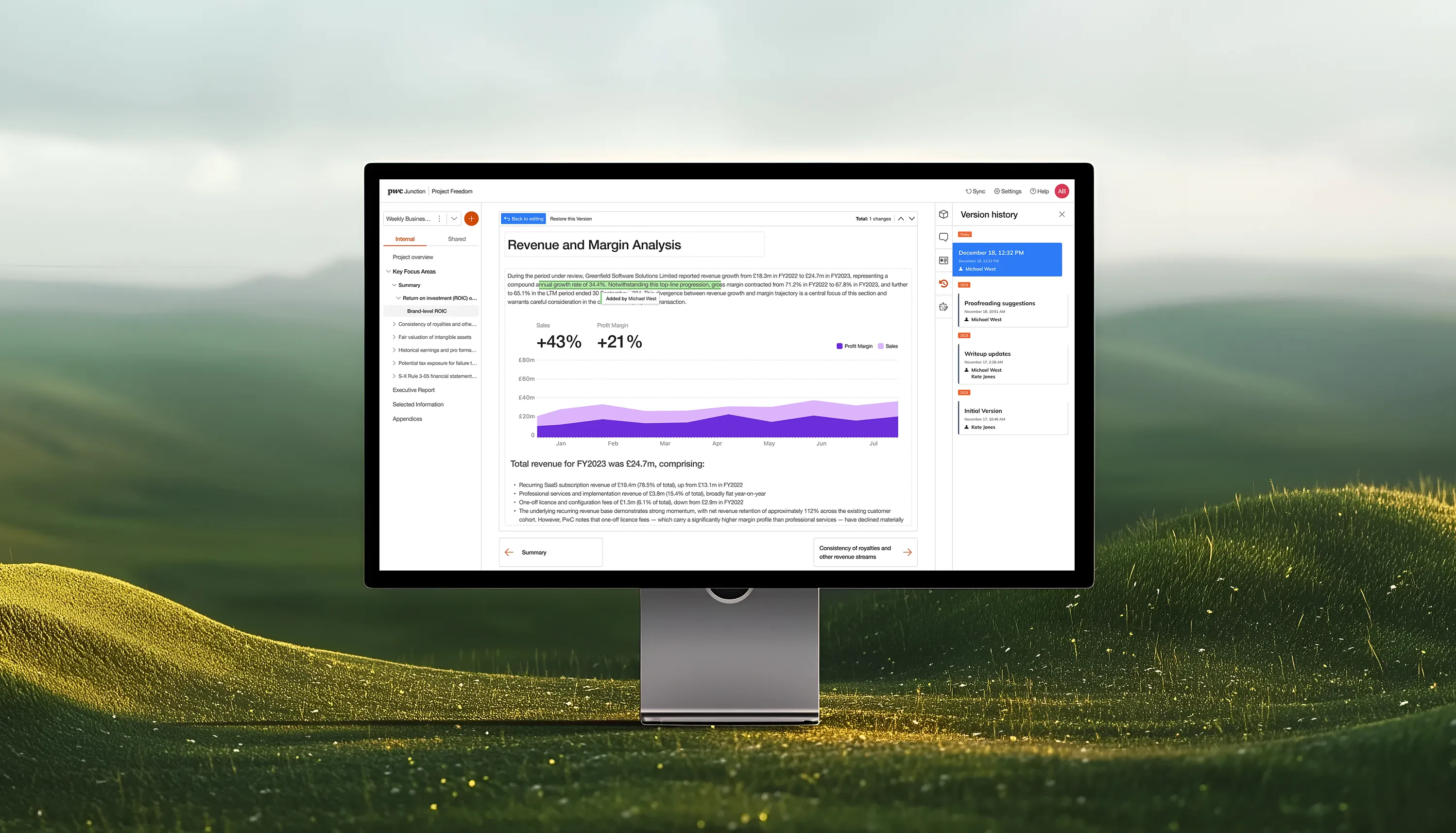
Version History

As an External Audit Reviewer, I need a complete, time-stamped version history of every analysis so I can trace how conclusions evolved across the engagement andverify no material changes were made post sign-off.

USER FLOW

Analysis Creation user flow

The Analysis Creation flow allows PwC analysts to build a structured engagement from the ground up within Junction.
Click to interact

Problem statement

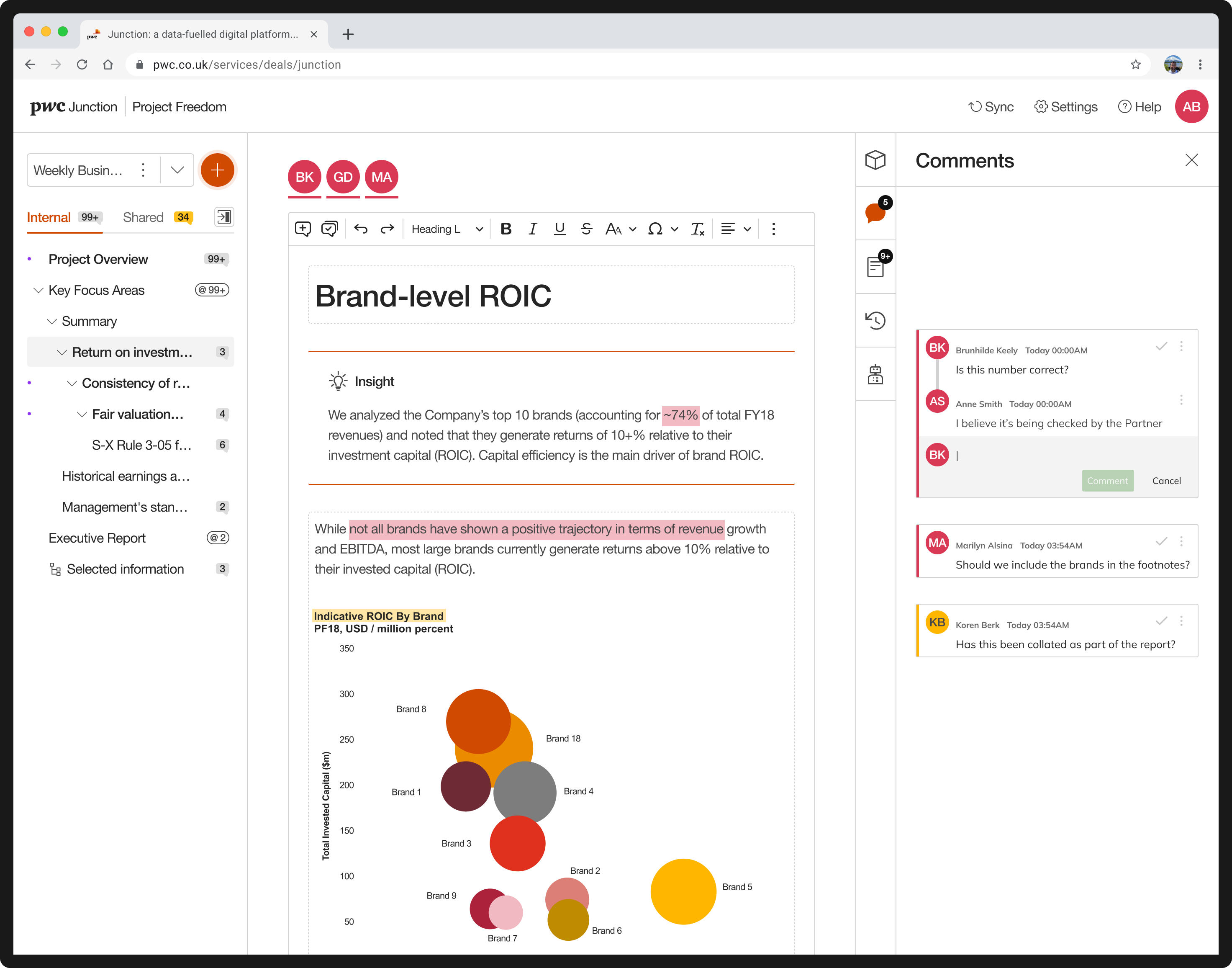
Junction doesn’t let you write a comment to a specific area or piece of content in the page.

Solution

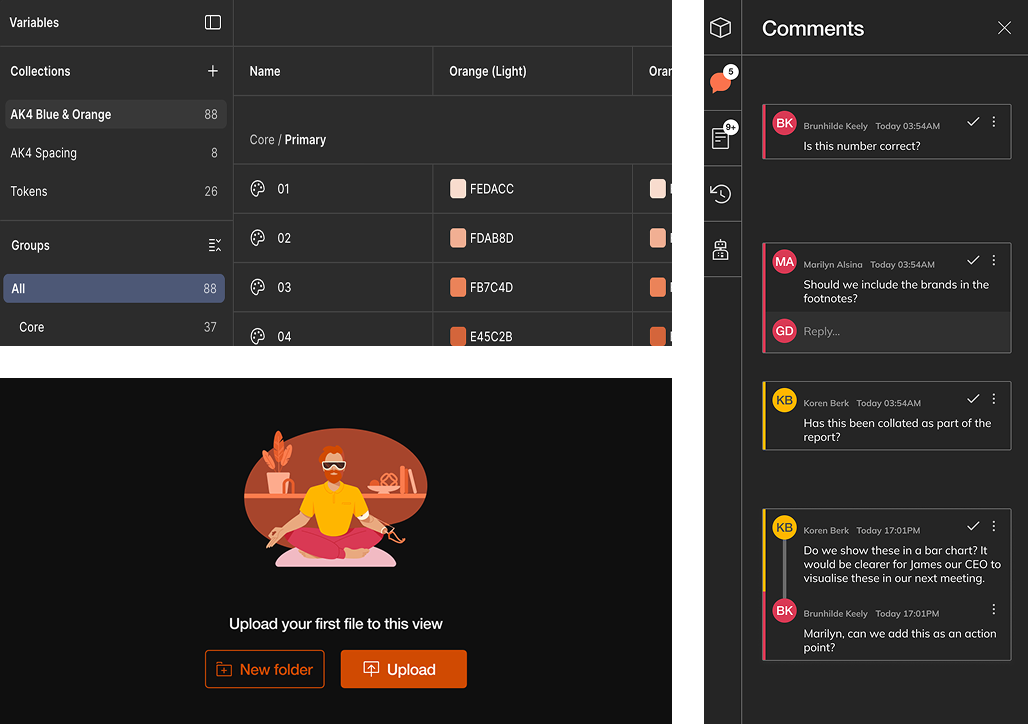
Inline Anchor Comments - Introduced element-level commenting that allows any user to highlight a specific piece of text, a chart, a table cell, or a KPI card and attach a comment directly to it. The comment appears as a colour highlight overlaid on the element, and expands into a threaded conversation in the sidepanel when clicked.

Problem statement

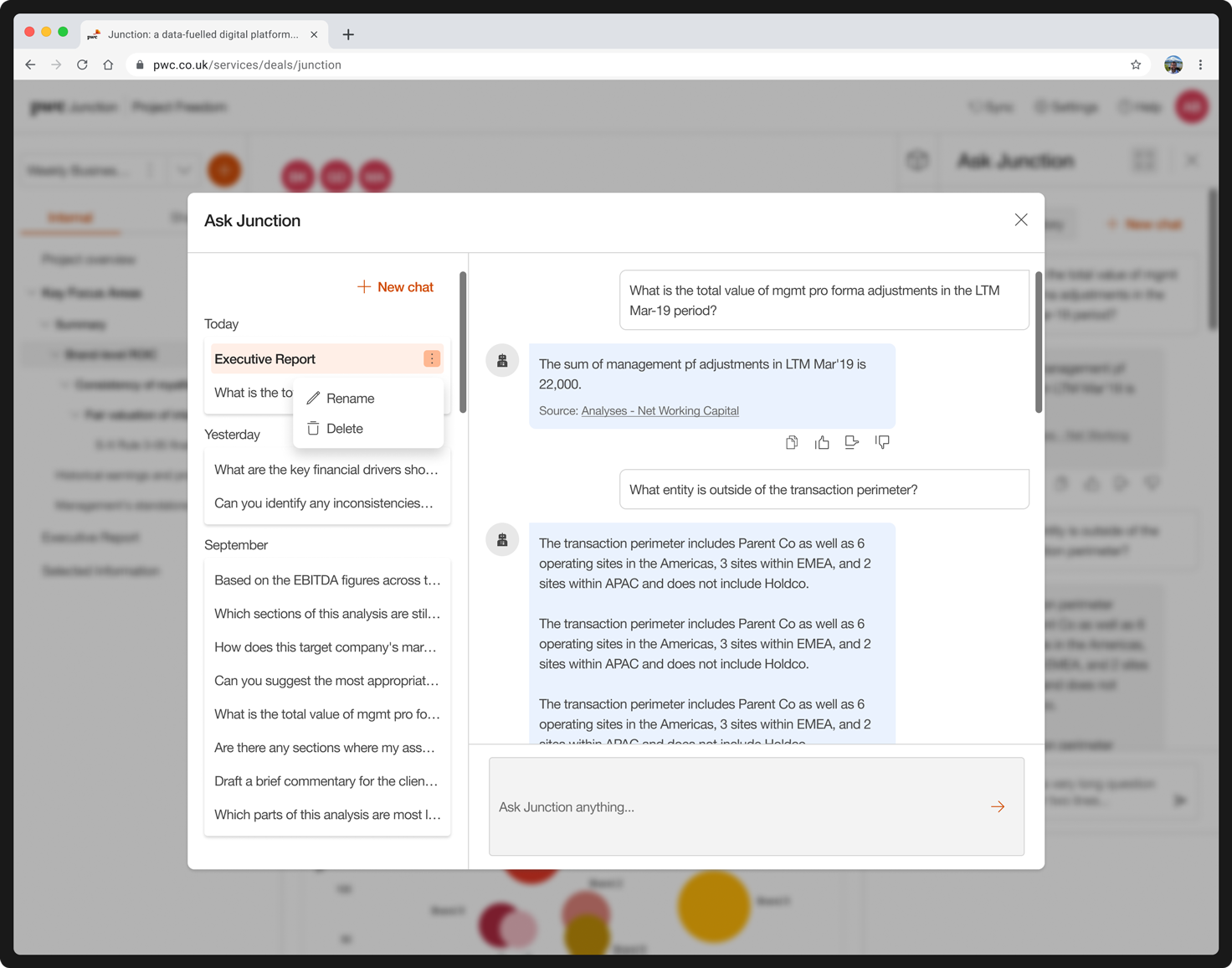
Junction users navigate information-dense deal environments entirely manually — there is no intelligent search, no AI-assisted content creation, and no way to query across multiple engagements. Finding specific data, drafting commentary, and connecting insights across deals is slow, inconsistent, and heavily reliant on individual analyst effort.

Solution

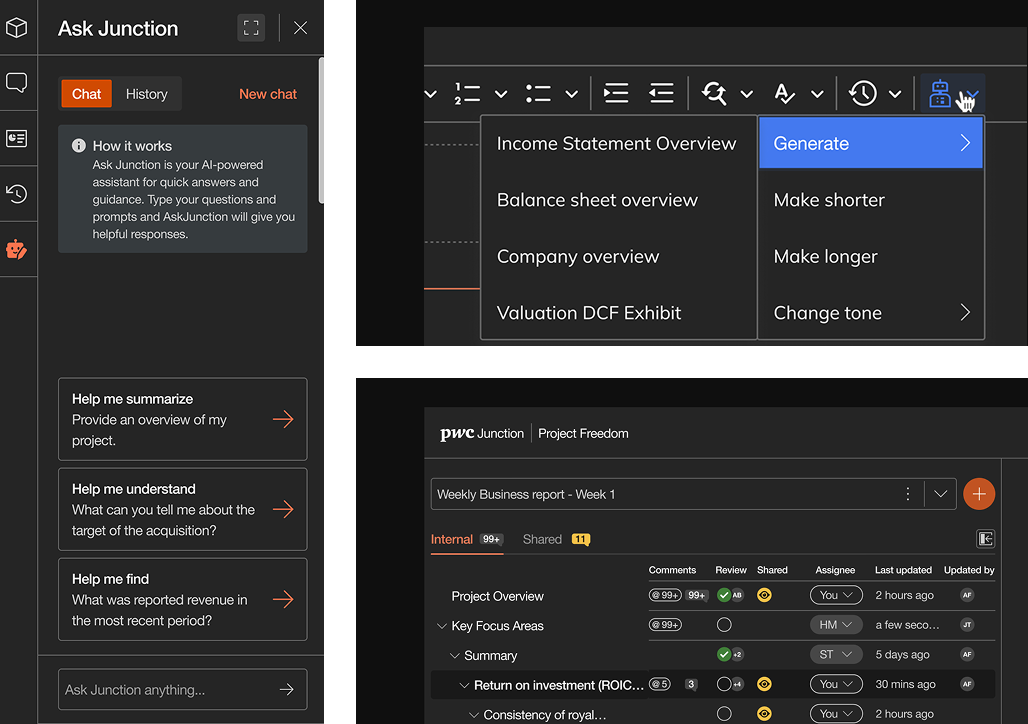
An integrated AI assistant — AskJunction — was embedded directly into the Junction platform, giving both PwC practitioners and clients a single, conversational interface to interact with their deal data intelligently.
At its core, AskJunction is a GPT-powered chat interface that understands the full content of a Junction site. Users can ask natural language questions about their engagement and receive contextual answers that surface relevant text, tables, and charts from within the platform — with direct links to the source content.

Problem statement

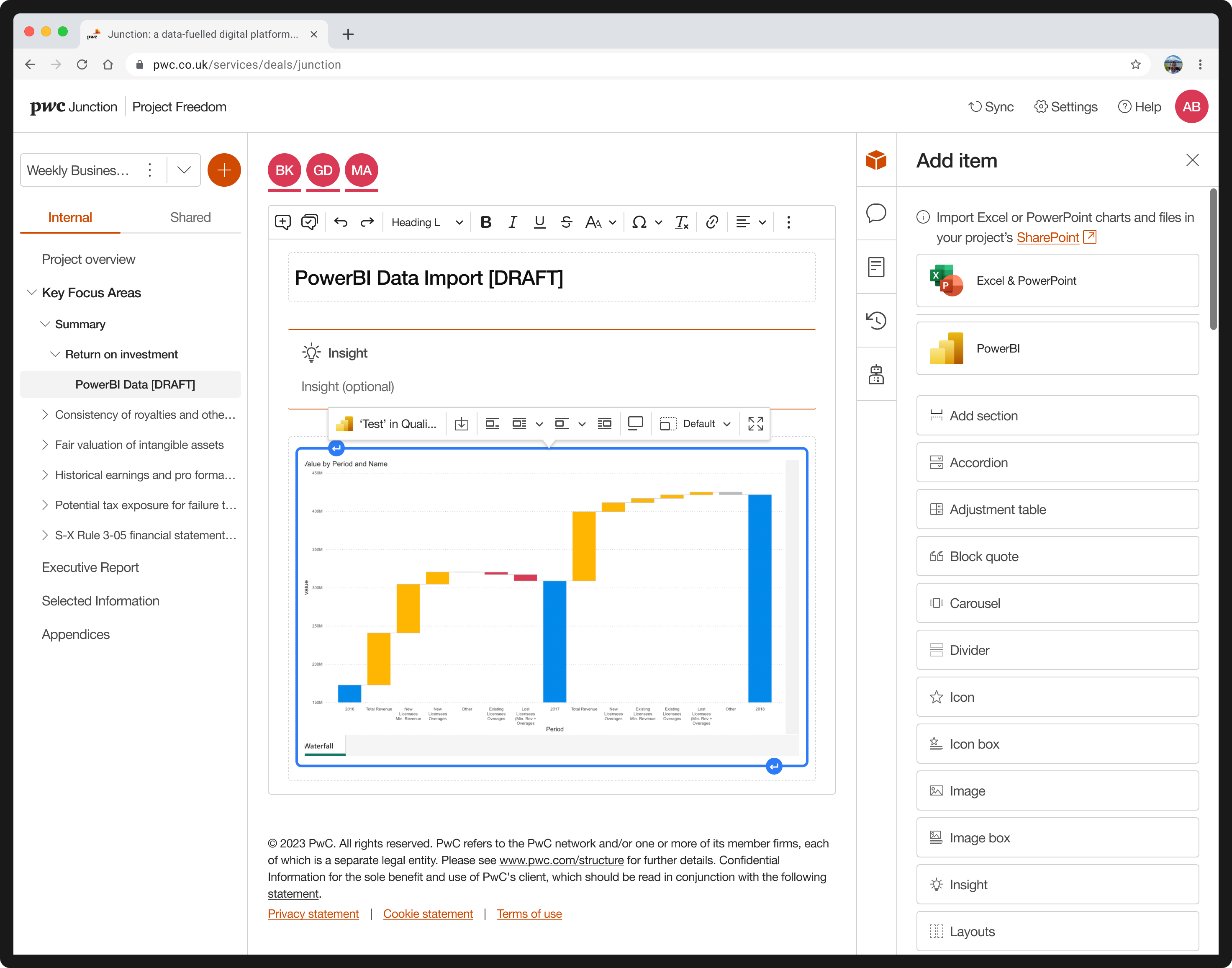
PwC analysts working in Junction rely on data that lives across multiple external systems — Excel models, PowerBI dashboards, SharePoint repositories, and other sources. Without a direct import capability, analysts are forced to manually extract, reformat, and re-enter data into Junction, introducing unnecessary effort, version risk, and the potential for transcription errors at a stage of the deal where data accuracy is critical.

Solution

Analysts can now connect and import data from external sources — including Excel, PowerBI, and SharePoint — directly within the analysis creation workflow in Junction. Data is pulled into the platform at the point of need, without leaving the environment, ensuring that analyses are built on live, source-accurate information. This eliminates manual re-entry, reduces version discrepancies, and gives reviewers and clients confidence that the data underpinning the analysis reflects the latest available figures.

Problem statement

Junction's existing Structured Analysis workflow was fragmented and heavily dependent on manual configuration. Analysts lacked a standardised, template-driven process for creating and managing Quality of Earnings, Net Working Capital, and Debt and Debt-Like analyses — leading to inconsistency across engagements. The inability to import directly from Excel, manage adjustments dynamically, or control currency formatting within the analysis itself created unnecessary overhead and increased the risk of errors reaching reviewers and clients.

Solution

When a new project is created in the Engagement Hub, a default Structured Analysis spreadsheet is automatically provisioned in SharePoint. Analysts can import QoE, NWC, and Debt and Debt-Like analyses from pre-built templates, selecting the relevant source sheet and Excel file at the point of import. Adjustments can be toggled individually or in unison, the dataset refreshed at any point, and currency formatting managed directly within the spreadsheet.

Problem statement

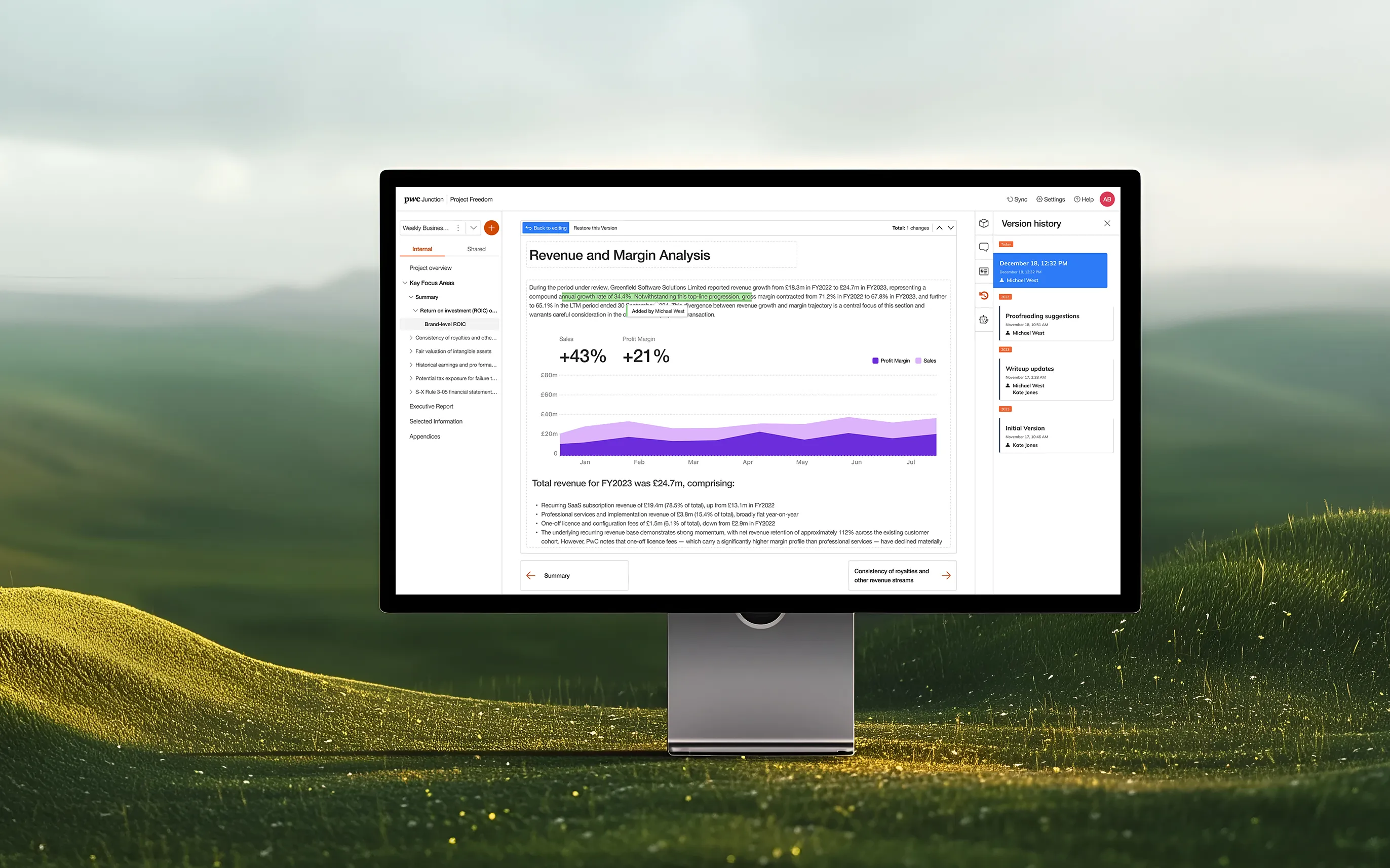
With multiple users able to work simultaneously on the same analysis, Junction carried a real risk of users inadvertently overwriting each other's work. Beyond collaboration, audit and compliance requirements demanded greater visibility into how an analysis evolved over time — something the platform had no structured way to support.

Solution

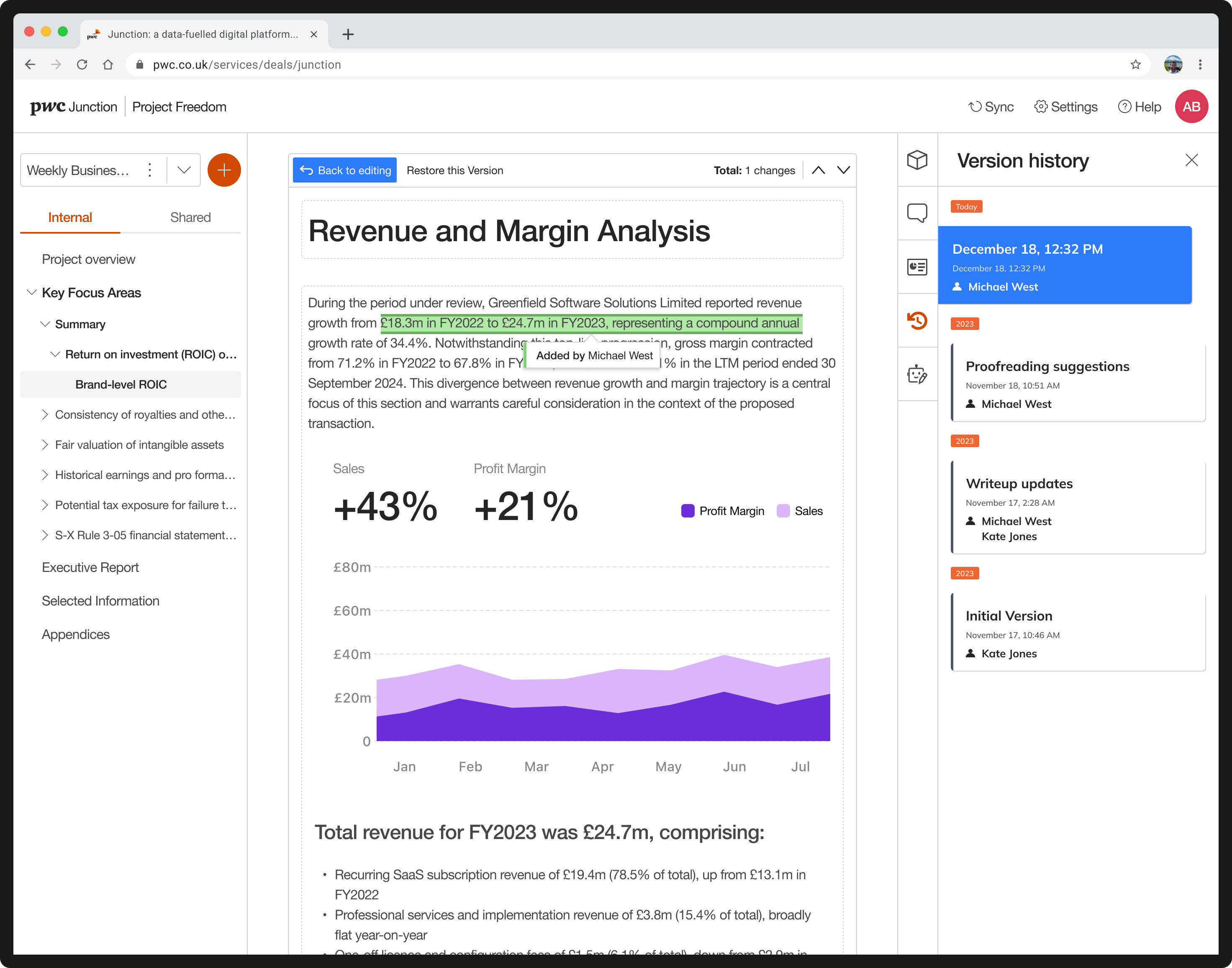
Version History was introduced alongside Autosave to provide a full, automatic record of every analysis. Minor versions are saved automatically six seconds after any change is made, capturing the incremental work of every contributor without disrupting their workflow. Major versions are created each time an analysis is shared with a client, marking a formal milestone in the engagement record. Together, these give audit a clear, time-stamped trail of how an analysis was built and approved — and give analysts confidence that no work can be lost or silently overwritten during simultaneous collaboration.

The Challenges

Maintaining Design System Integrity

Creating a design system flexible enough to accommodate the unique branding requirements of ultra-luxury, often branded, residential and retail districts, while still adhering to a core Diriyah visual identity.

Interactive masterplan as the main navigation tool

Creating an intuitive, gesture-based interaction model for the complex "splat" masterplan where users can fluidly transition between macro (district overview) and micro (unit-level detail) views without relying on deep navigation menus or breaking the visual context.

Seamless Contextual Switching

Designing the navigational structure to allow users to quickly detour from a pre-set presentation path to a client's off-script question.

PwC design system

The results

More Work